¶ 🧩 Installing Mods (Steam Workshop)
PlateUp! mods are installed through the Steam Workshop, which makes setup quick and easy.
This page explains how to find mods, subscribe to them, and verify they're working in-game.
¶ ✅ Requirements
To use Workshop mods, you need:
- PlateUp! on Steam
- Steam logged in and online
- PlateUp! launched at least once (recommended)
If you’re playing PlateUp! somewhere other than Steam, mods are unfortunately not supported at this time.
¶ 📦 Installing Mods (Subscribing)
¶ Step 1 - Open the Plateup! Workshop
- Open Steam
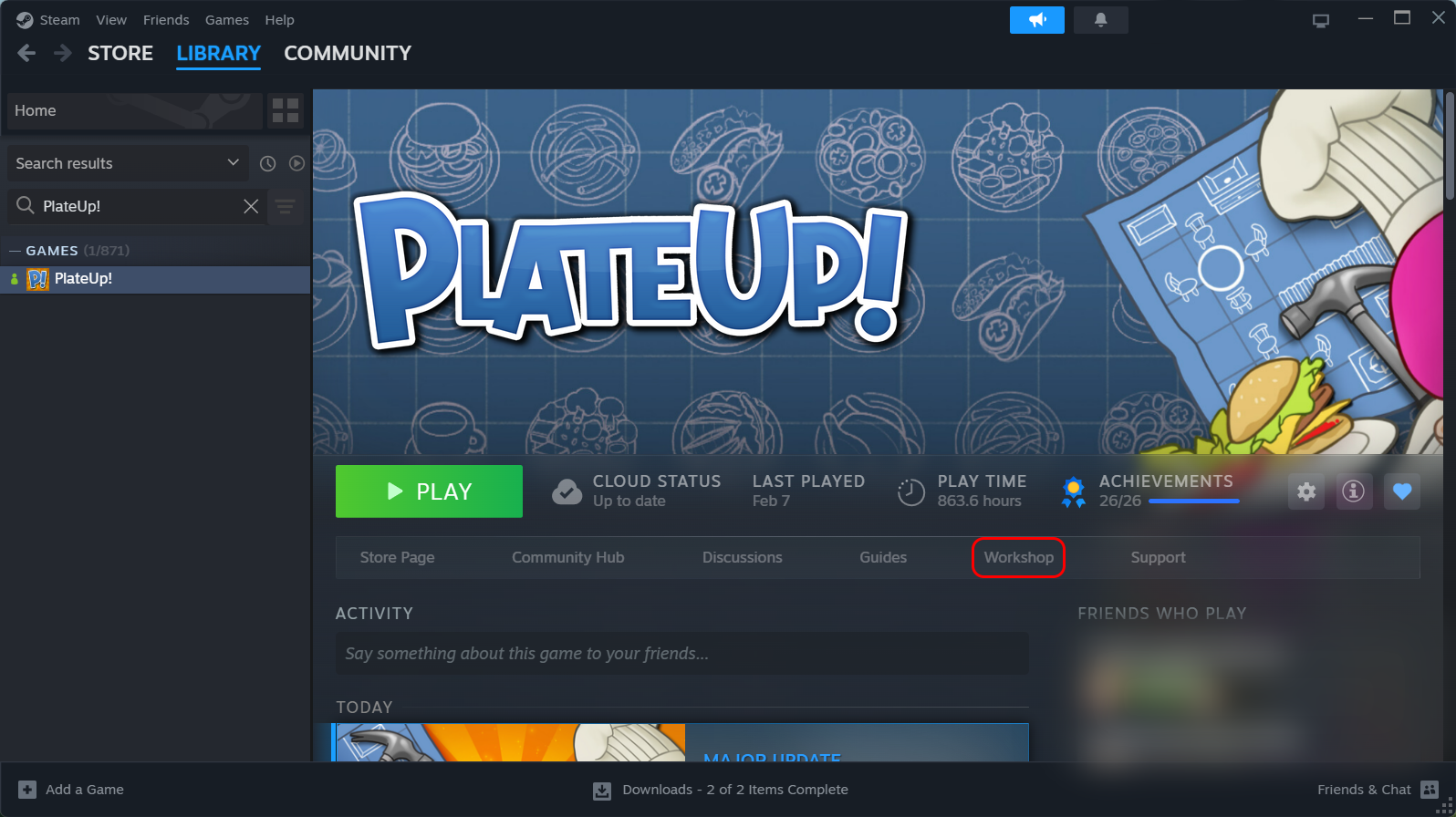
- Go to your Library → PlateUp!
- Click Workshop
Or:
- Click Here to access the PlateUp! Workshop.
¶ Step 2 - Subscribe to a Mod
To install a mod:
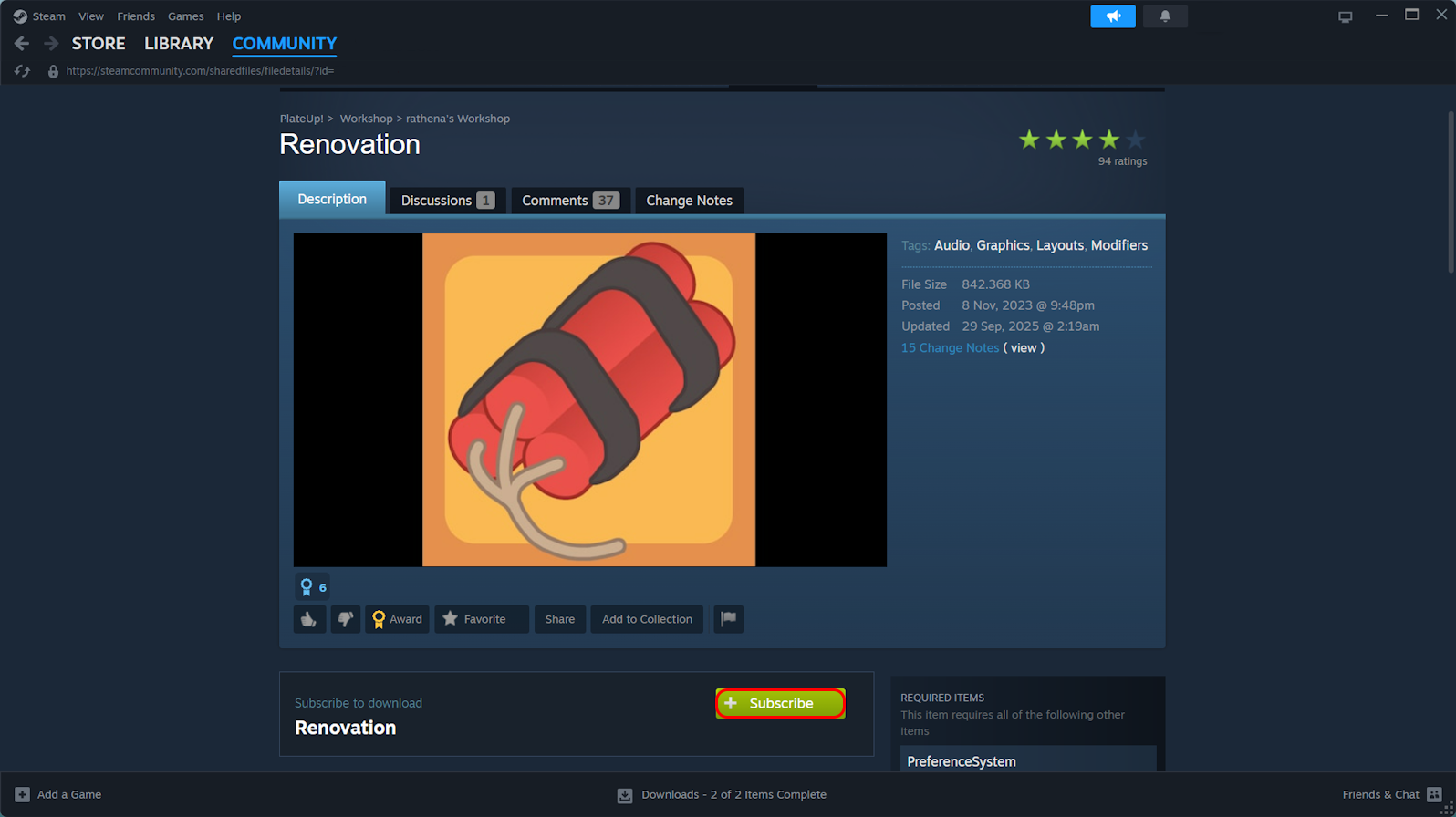
- Open the mod's Workshop page
- Click Subscribe
- Wait a moment while Steam downloads it.
By default, Steam will automatically download Workshop mods in the background.
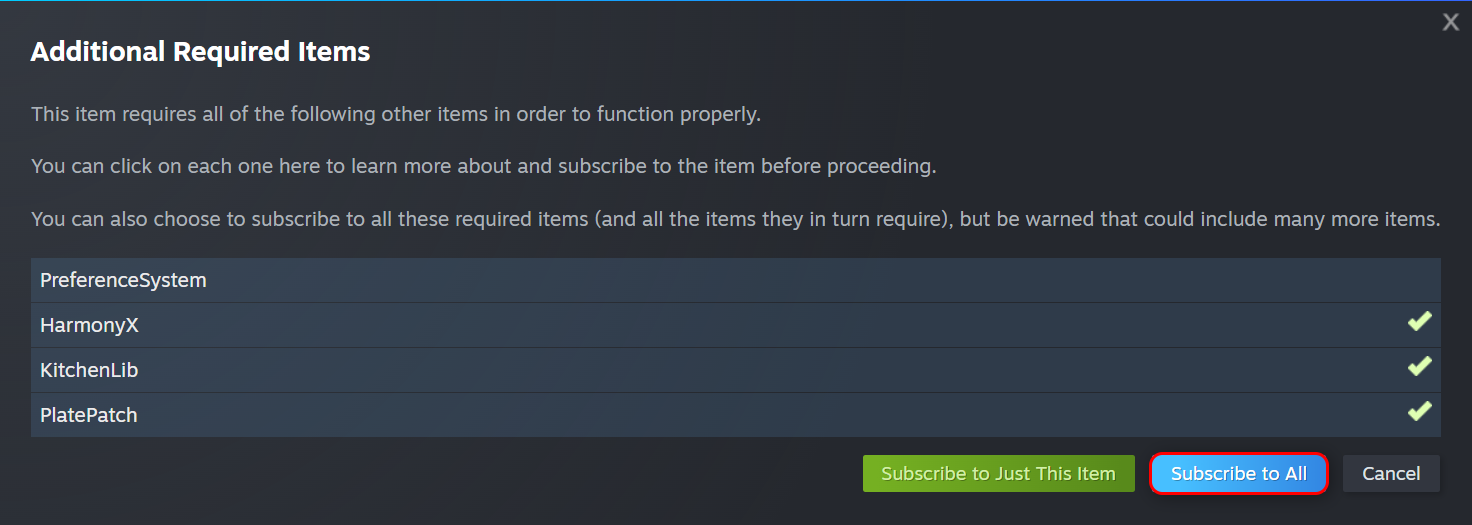
Some mods require other mods to function, these are dependencies.
When subscribing to mods that you don't have the dependencies for, Steam will prompt you to install them too.
This prompt will ONLY APPEAR when within the mod's Workshop page, it WILL NOT appear if subscribing from the search pageUnless you know what you're doing, it is suggested to always opt to 'Subscribe to All'
¶ Step 3 - Launch PlateUp!
Once subscribed and downloaded, simply launch PlateUp! as you would normally.
If the mod supports the current version of the game, it should load automatically.
It is also worth noting, PlateUp! does NOT have a built-in version checker. If a mod doesn't directly support the version of PlateUp! it's loading on, it will simply fail.
¶ 🔍 Verifying Mods Are Installed
There are a few easy ways to confirm mods are active:
- The easiest, check to see if the mod's content appears in-game (Appliances, Recipes, Cards, etc...)
- In the bottom right corner of the screen, it will display how many mods are loaded (
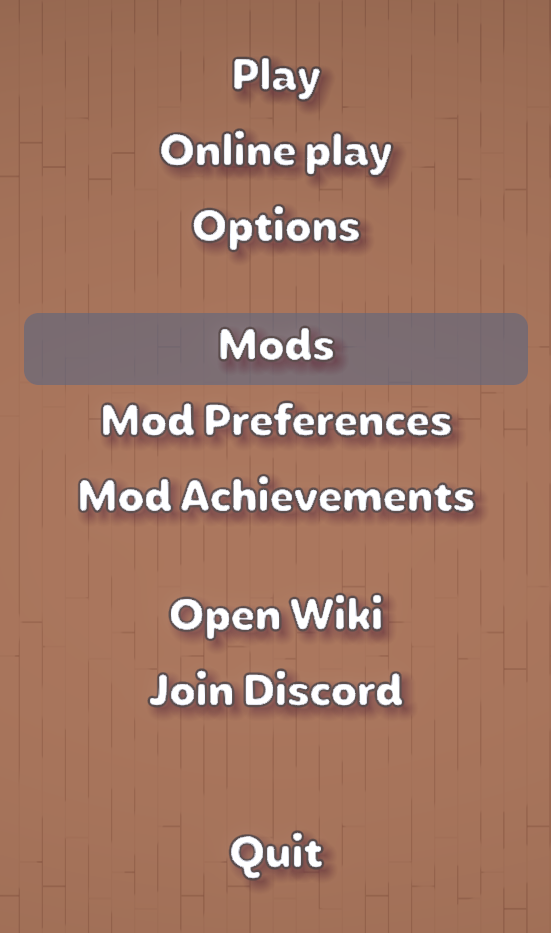
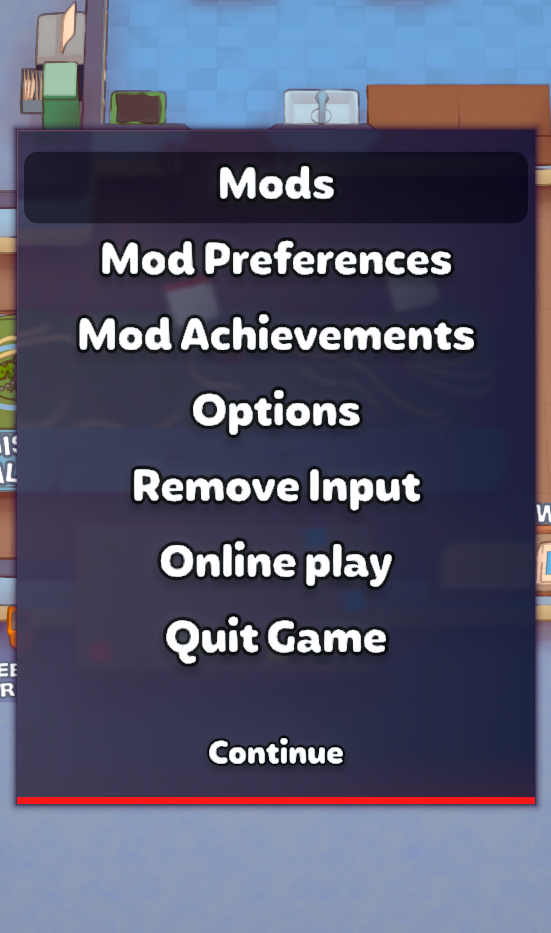
PlateUp! v1.2.3-ABDC - 5 mods) - If you have KitchenLib installed, you will see a "Mods" button in the pause and main menus, this will list all loaded content.

¶ 🔁 Updating Mods
Generally, Steam automatically updates Workshop mods on it's own.
Unfortunately Steam can be a bit hap-hazard in terms of automatic updates, and it may not download them.
If you believe your mods aren't downloading or updating correctly, refer to Troubleshooting & Common Issues